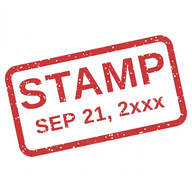
How to Stamp a Seal on a PDF from Your Phone (Completely Free, No App Needed)

The short answer: if all you need to do is stamp a document, you don't need printing or an app install. Pop-A-Sign opens right in your browser. Stamp a personal seal or date stamp on a PDF or a photo of a document, save it, and send it as-is. It's free, with no sign-up required.
🔍 Are you going to all this trouble just to stamp something?
- Printing, stamping, and re-scanning a document, just to add an approval stamp to an estimate or a purchase order
- No printer at hand when you're out or working from home, so the task gets put off until later
- Dedicated apps require an account, or their free versions add watermarks or limit how many seals you can use
There's no need to go through all that for something you only do a few times a month.
🚀 Done in 3 steps
-
1
Open a PDF or a photo
Load a saved PDF, or a photo you took of a paper document. You can also open a PDF attached to an email, just as it is.
-
2
Choose a stamp and place it
Just type your family name to create a personal seal. You can also choose a date stamp showing today's date, or ready-made stamps such as "Approved" and "Checked". Drag to position the stamp, and pinch to adjust its size.
-
3
Save it and send it as-is
Save the result as a PDF or a JPEG. From your phone's share menu, you can send it directly to LINE or email.
For detailed instructions for each feature, see the user guide.
✅ How it differs from printing and paid apps
- Printing and stamping by hand: requires a printer and a scanner, and uses paper and ink
- Paid e-seal apps: may require a monthly subscription, or charge per seal design
- Pop-A-Sign: everything happens in your browser, and your files are not saved in the cloud
⚠️ The seals and stamps in this tool are intended for simple, everyday uses such as confirmations and approvals. They do not cover registered-seal certificates, or procedures that legally require a strict electronic signature. Please confirm the legal validity of your documents yourself, following the instructions of the party you are submitting them to.
🎯 Summary
Stamping a PDF takes nothing more than a browser. Next time a document arrives that needs a stamp, give this a try before reaching for the printer.
📱 Try Pop-A-Sign free now
No sign-up, no installation. Just open your browser and go from stamping to saving and sharing in one flow.
▶ Launch the free app